
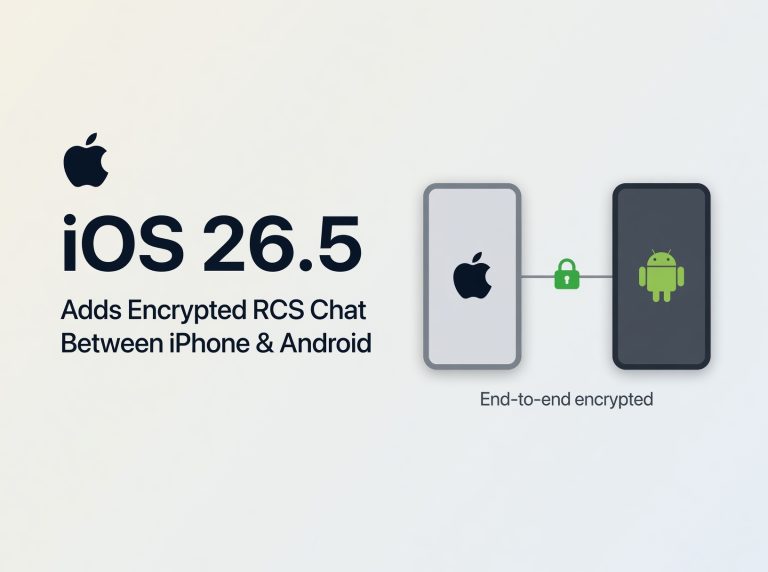
Apple users are noticing a significant change in iOS 26.5 that could reshape how they chat across platforms. With end-to-end encrypted RCS (Rich Communication Services) now supported in Messages, secure group chats and media sharing with Android friends get a major upgrade. This matters because the green bubble gap has long plagued cross-platform messaging. In this article, we’ll explain what RCS encryption brings, why it’s secure, and how to enable it on your iPhone.
Rich Communication Services is an industry standard that replaces legacy SMS and MMS with modern chat features: read receipts, typing indicators and high-resolution media transfers. Until now, Apple’s iMessage ecosystem stayed separate, leaving Android users on unencrypted SMS.
With iOS 26.5, Apple is embracing RCS while adding its own privacy layer: full end-to-end encryption on compatible networks. This bridges the security divide between blue bubble and green bubble chats, letting both sides share photos, videos and voice notes without exposing content to carriers. It also simplifies group chats, device handoffs and iCloud backups for a seamless cross-platform experience. Messages automatically detects RCS support per contact, displaying a secure badge when encryption is active—so you know at a glance that your conversation is private.

Key Changes
- End-to-End Encryption: RCS chats now use Apple’s secure protocol, ensuring only sender and recipient can read messages.
- Cross-Platform Support: Android users on RCS-capable networks can join encrypted chats with iPhone contacts.
- Rich Media Sharing: High-resolution photos, videos and voice messages transfer without compression loss.
- Read Receipts & Typing Indicators: Get real-time status updates in mixed-device group conversations.
- Fallback to SMS/MMS: Seamless revert when RCS isn’t available, maintaining message continuity.
- Integrated in Messages App: No third-party downloads; configuration lives in Settings > Messages for native convenience.
Many iPhone users may notice a more unified messaging experience, especially those who frequently chat with Android friends or colleagues. Imagine planning weekend trips in a mixed-device group: photos, locations and reactions sync in real time with read receipts, all under encryption.
Professionals sharing sensitive documents or links can now rely on carrier independence, reducing the need for third-party apps. RCS encryption works over Wi-Fi or cellular data without extra downloads. In households using both iPhone and Android tablets, group reminders and family event planning feel more cohesive.
Battery impact is minimal, as RCS processing leverages standard network stacks. Performance tests show no slowdowns when sending large files. Early adopters in regions with broad RCS support already see these improvements in Europe and North America. Combined with Continuity and Handoff, receiving an Android-sent voice note on iPad or Mac blurs device boundaries for a smoother workflow.
Frequently Asked Questions
Which iPhone models support RCS encryption?
All iPhones compatible with iOS 26.5, including iPhone 8 and later, support encrypted RCS messaging.
Do Android contacts need a specific app?
Yes. They need an RCS-compliant messaging app, such as Google Messages with chat features enabled by their carrier or network.
Can I disable RCS and revert to SMS?
Absolutely. Go to Settings > Messages and toggle Allow RCS Messaging off. Your chats will fall back to SMS/MMS.
Are mixed group chats fully encrypted?
Yes. All participants on RCS networks with encryption enabled share secure messages. Non-RCS participants automatically default to standard SMS/MMS.
Verdict
iOS 26.5’s encrypted RCS integration marks a significant step for cross-platform messaging, closing the longstanding security gap between iPhone and Android. Users who value privacy and seamless chat experiences across devices will see the biggest benefits. Although network support is still evolving, this update lays the groundwork for a more unified, secure messaging future. Apple’s native approach means fewer third-party dependencies and smoother workflows—an essential upgrade for anyone bridging blue and green bubbles.
- Smart Deal: Land a Galaxy Watch 6 Classic with Free Amazon Credit
- Anker’s Smart Nano Hub: Simplify Your Apple Setup with Dual Monitors
- Anker Prime 6-in-1 Charging Station: Essential Power for Your Apple Gear
- Smart Apple Watch Series 12: Pre-Order Price Drops Begin on Amazon
- Upgrade Your Morning Ritual with Govee’s Smart Gooseneck Kettle
"Note:We may receive a affiliate commission when you purchase products mentioned on our website."