
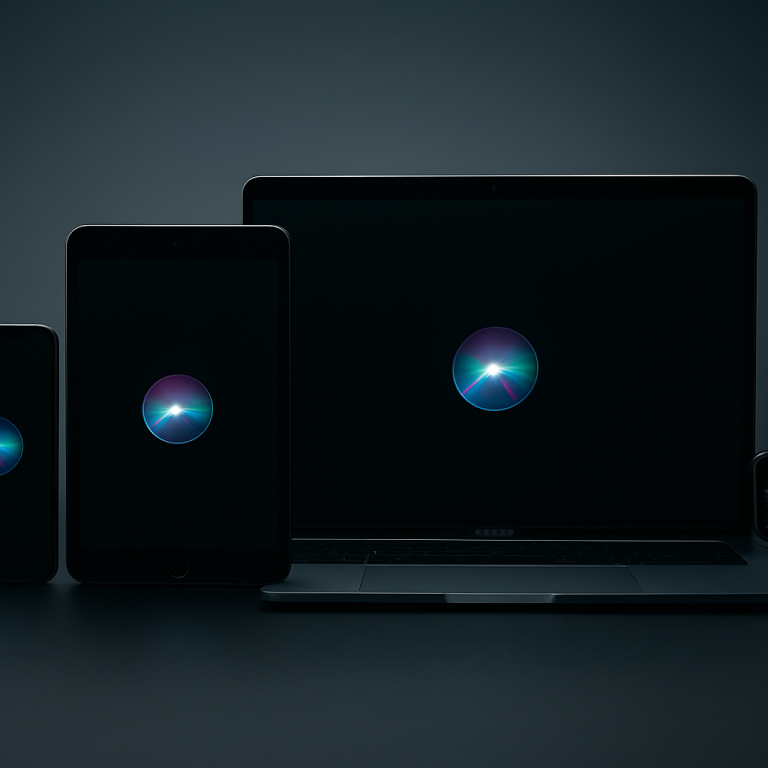
Apple’s latest Siri AI integration spans a precise range of hardware, extending generative voice assistant features to select iPhone, iPad, Mac, and Vision Pro models. In a support document refreshed this week, Apple clarifies which devices can summon Siri’s advanced conversational responses, contextual summaries, and inline translation prompts. Users tracking AI-driven upgrades are paying close attention: knowing whether their iOS, iPadOS, or macOS device qualifies will determine if they can tap Siri for richer interactions across Mail, Safari, and Messages.
On her commute, Tara paused her iPhone 15 Pro, unlocked it, and raised the device to her ear. She asked Siri to draft a meeting summary. While glancing at her battery percentage—28 percent—she reached into her bag for a MagSafe power pack. This moment, part habitual and part adaptive, shows how Siri AI features can blend into daily routines when the right hardware—and sufficient charge—are at hand.
Once Tara returned to her desk, she shifted to her MacBook Pro. Handoff carried her Siri session seamlessly: the draft appeared in Notes, complete with AI-generated action items. Switching over, she toggled between her iPad Pro and Vision Pro to preview a research document with Siri annotations. This layered ecosystem behavior underscores Apple’s intention: AI experiences that travel with you, not remain tethered to a single screen.
However, not every Apple user can join this AI rollout. Older devices running iOS 16, macOS Ventura, or earlier miss out. Some owners report frustration when tapping Siri only to see a “Not Supported” prompt. These compatibility limits introduce a subtle friction point, reminding users that AI enhancements often come with hardware checkpoints and software version hurdles.
Since the announcement, online communities have discussed how Siri AI changes typical voice assistant habits. Instead of setting simple timers or playing music, many now frame complex queries—requesting code snippets, email draft outlines, or historical context. This shift hints at evolving expectations around voice interfaces, as routine tasks give way to on-the-fly content creation—all dictated by device eligibility.
Apple’s device roster for Siri AI reflects a broader industry trend toward on-device intelligence. Unlike cloud-first approaches, Apple leans on neural engine performance in A-series and M-series chips. That strategy secures private processing and minimizes latency, but it also raises questions about the pace at which legacy hardware can keep up in Apple’s AI-driven roadmap.
The expansion of Siri AI isn’t a dramatic pivot, but a careful iteration within Apple’s ecosystem. As users toggle between compatible iPhone, iPad, MacBook, and Vision Pro hardware, they experience a subtle redefinition of daily interactions. Watching how Siri AI-supported devices are adopted offers a window into Apple’s methodical balance between technological ambition and the realities of hardware lifecycles.
iOS 27 compatibility
Apple says that iOS 27 is compatible with all of the same iPhone models. This means that if your iPhone is running iOS 26, it will be able to update to iOS 27 when it’s released later this year.
Here’s the full list of devices:
Here’s the full list of iPhones that do support iOS 26:
- iPhone 17
- iPhone Air
- iPhone 17 Pro
- iPhone 17 Pro Max
- iPhone 16e
- iPhone 16 and 16 Plus
- iPhone 16 Pro and 16 Pro Max
- iPhone 15 and 15 Plus
- iPhone 15 Pro and 15 Pro Max
- iPhone 14 and 14 Plus
- iPhone 14 Pro and 14 Pro Max
- iPhone 13 and 13 mini
- iPhone 13 Pro and 13 Pro Max
- iPhone 12 and 12 mini
- iPhone 12 Pro and 12 Pro Max
- iPhone 11
- iPhone 11 Pro and 11 Pro Max
- iPhone SE (2nd gen and newer)
However, some of the most advanced new Siri AI features, which rely on powerful on-device models, will only be available on the following devices:
- iPhone 17
- iPhone Air
- iPhone 17 Pro
- iPhone 17 Pro Max
- iPhone 16
- iPhone 16 Plus
- iPhone 16 Pro
- iPhone 16 Pro Max
- iPhone 16e
- iPhone 15 Pro
- iPhone 15 Pro Max
Beyond the iPhone, these devices will also support the new AI features when it releases later this year:
- iPad models with M1 or later
- Mac with M1 or later
- Apple Vision Pro
- Apple Watch Series 10 or later
- Apple Watch Ultra 2 or later
- Apple Watch SE 3 when paired with an Apple Intelligence-enabled iPhone
FAQs
Which iPhone models support Siri AI?
Siri AI features require iPhone 15 and later models running iOS 17.4 or newer, tapping the device’s A16 Bionic or later neural engine for on-device processing.
Can I use Siri AI on my iPad?
Supported iPads include iPad Pro with M1 chip or later, iPad Air (5th generation), and iPad mini (6th generation) on iPadOS 17.4 or newer.
Which Macs are compatible with Siri AI?
Apple silicon Macs—from the M1 MacBook Air or Mac mini onward—running macOS Sequoia (14.4) or later support Siri’s AI enhancements.
Is Vision Pro included in Siri AI support?
Yes. Vision Pro devices with visionOS 1.4 or later can access Siri AI’s conversational and context-aware features.
VERDICT
Apple’s Siri AI rollout across iPhone, iPad, MacBook, and Vision Pro highlights a cautious yet deliberate shift toward on-device intelligence. By limiting advanced voice features to hardware with powerful neural engines, Apple underscores its emphasis on privacy and performance, even as users weigh compatibility hurdles. This measured expansion reflects an ecosystem in transition: one where daily habits—from drafting emails to exploring immersive content—are subtly redefined by where and how AI processing takes place.
"Note:We may receive a affiliate commission when you purchase products mentioned on our website."