
Apple Watch owners have slowly woven brief wrist checks, gym timers and notification taps into their daily flow, responding to subtle interface cues and charging routines that quietly redefine morning rituals.
“Many owners customize complications immediately after unboxing, layering shortcuts for weather, timers and heart rate at a glance.”
The first glance at the wrist once delivered a simple time check; now it presents a carefully curated set of complications, each chosen for a moment’s glance. Owners pause, often without realizing it, to swipe through stacked faces or tap a weather icon before fully exiting a bedroom haze. This shift from a single tap to a brief choreography of gestures marks a subtle departure from earlier Apple Watch habits, where the watch face was almost an afterthought.

At the edge of a desk, the haptic buzz that once required a full raise of the arm now registers with wearable finesse. A gentle flick brings calendar alerts into view, nudging owners to adjust meeting buffers or a quick break between calls. This nuance in wrist elevation has settled into muscle memory, so much so that some users notice a brief impatience when interacting with other wearables or fitness trackers that lack the same rest-to-wake precision.
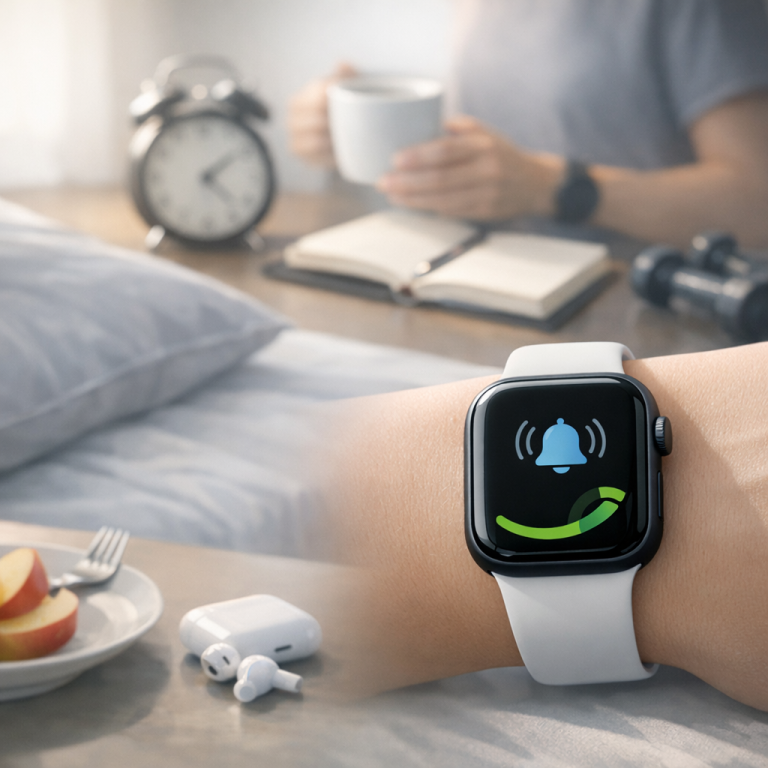
Battery care has also found its place in daily routines. The watch’s modest capacity encourages a nightly cable ritual, pinning the puck to the bedside plate with the same deliberation once reserved for winding a traditional clock. The tangles of cords under a lamp now draw fewer complaints, supplanted by a ritualized click as the watch snaps into position. In the morning, a quick glance at the charging indicator shapes decisions about workouts or extended errands.
Commuters have their own set of adjustments. Removing a coat sleeve to tap transit schedules or control music from the wrist has become almost instinctive. Even in crowded subways, a flick of the wrist can open a navigation glance without unlocking a phone. Yet this ease has its friction: layered clothing can muffle the haptic cues, and the extra milliseconds lost waiting for an update can feel surprisingly conspicuous on a packed platform.
During midday workouts, the stopwatch complication has edged out a simple glance at the workout app. Switching between running and cycling modes with the crown feels second nature, and some users now keep the watch face exclusively for health metrics, relegating less-used functions to the side menu. This partitioning of on-wrist space speaks to an evolving relationship with the device—one where function is carved into quick-access territories, more than the watch’s original open canvas.
In quieter moments, users discover small workflow detours. One owner described reaching down in a dim hallway to tap the watch face as a substitute for fumbling a torch app on the phone. Elsewhere, the gentle tap needed to clear notifications has replaced a phone shake or double press of a button, making the action feel inherently more human. These micro-adjustments slip in unnoticed until encountered elsewhere, where the absence of a complication or haptic response reveals how deeply normalized they’ve become.
Taken together, these daily shifts amount to a broader pattern of adaptation within the Apple ecosystem. As the Watch tip sheets and community forums populate with advice on custom layouts and efficiency hacks, it is the quiet background of habitual gestures—more so than the tips themselves—that define real change. Observing these rituals reveals an ongoing dialogue between design and routine, where small interface nudges subtly guide the contours of each user’s day.
Frequently Asked Questions
Question
Are all newer watch faces and complications compatible with older Apple Watch models?
Most watch faces and complications introduced in recent updates require Series 4 or later. Older models may lack certain animation or data sources.
Question
What happens when using MagSafe chargers with an Apple Watch?
MagSafe chargers designed for iPhone do not align properly with the Apple Watch’s magnetic puck and will not provide a secure connection.
Question
Can USB-C power adapters influence Apple Watch charging speeds?
USB-C power adapters paired with an Apple Watch Magnetic Charging Cable adhere to the watch’s charging protocol, delivering only the current the watch supports.
Question
Does enabling background app refresh impact the Apple Watch’s battery life?
Enabling background app refresh can increase energy consumption, potentially reducing the time between charges, depending on app activity.
Verdict
The Apple Watch’s subtle interface shifts and charging rituals illustrate how minor design nudges can reshape long-held habits. What begins as an exploration of complications and crown gestures soon settles into an unspoken rhythm—morning cable clicks, wrist flicks beneath coat sleeves, and haptic taps in dim hallways. These individual choices reveal a broader behavior adaptation within the Apple ecosystem, where users quietly coordinate their days around the watch’s evolving interactions, underscoring a continuous negotiation between human routine and device design.
- Smart Deal: Land a Galaxy Watch 6 Classic with Free Amazon Credit
- Anker’s Smart Nano Hub: Simplify Your Apple Setup with Dual Monitors
- Anker Prime 6-in-1 Charging Station: Essential Power for Your Apple Gear
- Smart Apple Watch Series 12: Pre-Order Price Drops Begin on Amazon
- Upgrade Your Morning Ritual with Govee’s Smart Gooseneck Kettle
"Note:We may receive a affiliate commission when you purchase products mentioned on our website."