
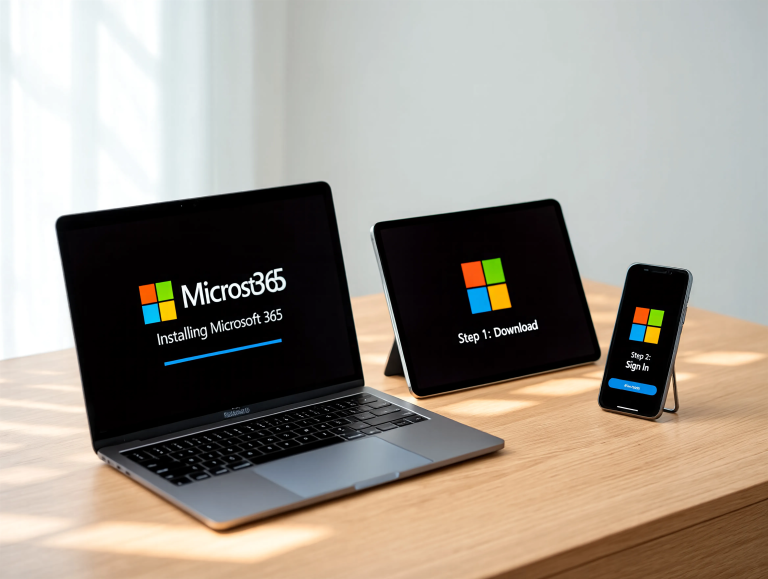
To set up Microsoft 365 apps on your Apple devices, start by ensuring you have an active subscription and updated software: macOS Monterey or later on Mac, iOS 15 or iPadOS 15 on iPhone and iPad. With those ready, head to the App Store on each device. Download Word, Excel, PowerPoint and Outlook directly from the Microsoft 365 publisher page. This straightforward process brings familiar Office tools into Apple’s ecosystem with seamless iCloud and Files integration.
On Mac, open the Mac App Store, search for “Microsoft 365,” then install individual apps or the bundled Office suite. After download, launch any app and sign in with your Microsoft account. The apps integrate with macOS features such as Universal Clipboard, Spotlight search for recent documents and Quick Look previews, making it easy to access and manage files alongside native Mac apps.
For iPad and iPhone, open the iOS App Store and locate each Microsoft 365 app—Word, Excel, PowerPoint and Outlook. Tap Get, then install. Once you open an app, grant permission to access Files and Sign in to activate your subscription. On iPad, you can draw and annotate with Apple Pencil in supported Office documents, while iPhone users benefit from template-driven quick edits and on-the-go email management in Outlook.
Microsoft 365 leverages Apple’s Files app and iCloud Drive for document storage. You can choose OneDrive, iCloud or local device storage when saving files. On Mac, enable Drive locations in Finder’s sidebar. On iPad and iPhone, access files via the Files app under “Locations.” This flexibility ensures your documents follow you across devices, whether you’re starting a report on Mac or making last-minute revisions on iPhone.
Who this affects: professionals, students and home users relying on Office productivity will appreciate having Word, Excel and PowerPoint on all Apple hardware. Teams and Outlook integration on iPadOS and iOS streamlines scheduling, while Mac users unlock keyboard shortcuts and advanced formatting. Any user with a valid Microsoft 365 license—Personal, Family, Business or Education—can install on multiple devices without extra fees.
Setup tips include enabling AutoUpdate in App Store settings on Mac and automatic app updates on iOS to stay current with feature improvements and security patches. You may also add Microsoft 365 widgets on iPadOS Home Screen for quick document creation or Outlook calendar overviews. For deep integration, configure default email and browser in System Settings to point to Outlook and Edge if preferred.
Looking ahead, Office apps will continue to adopt Apple Silicon optimizations, offering faster performance and longer battery life on MacBook models. Upcoming iPadOS updates may bring enhanced multitasking support for Office windows. Meanwhile, Microsoft’s roadmap includes AI-assisted writing features and advanced data analysis tools—expected to roll out on Apple devices in future app updates.
FAQs
Do I need a Microsoft 365 subscription to install Office on Apple devices?
Yes. A valid Microsoft 365 subscription is required to activate and use Word, Excel, PowerPoint and Outlook on Mac, iPad and iPhone beyond free viewing modes.
Can I use Microsoft 365 apps offline on my iPhone?
Yes. You can create and edit documents offline. Changes will sync to OneDrive or iCloud when your device reconnects to the internet.
How many devices can I install Microsoft 365 on?
A Microsoft 365 Personal license covers one user on up to five devices. Family and Business subscriptions allow installation on multiple user accounts across more devices.
Where are my documents saved when using Office on Mac and iPad?
By default, you can save to OneDrive or choose iCloud Drive and local storage. On iPad and iPhone, access files via the Files app under the chosen location.
Verdict
Installing Microsoft 365 on Mac, iPad and iPhone bridges essential productivity tools with Apple’s robust ecosystem. The process is simple: download from the App Store, sign in and enable storage locations. Users benefit from seamless file access across devices, native Apple Pencil support on iPad and macOS performance gains on Apple Silicon. With automatic updates and deep integration planned, Office apps remain a cornerstone for professionals and students working within Apple hardware.
"Note:We may receive a affiliate commission when you purchase products mentioned on our website."