
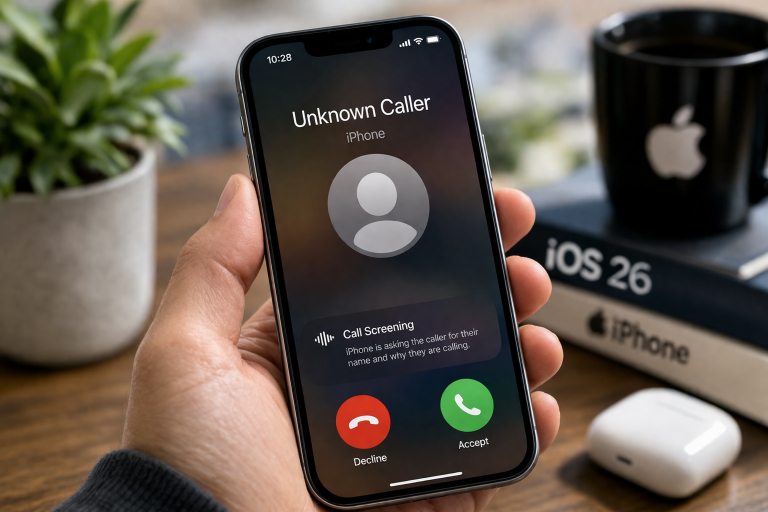
In iOS 26, Apple introduced new call screening features, aiming to shield you from unwanted interruptions. Yet, for many Apple users, these automated gatekeepers can inadvertently block crucial calls or complicate direct communication. If you’re ready to reclaim full control and ensure every ring is a recognized connection, mastering how to turn off call screening on iPhone iOS 26 is an essential skill for your daily workflow.
Essential Anker Nano: The Smart Power Upgrade Every Apple User Needs
While smart call management sounds appealing, iOS 26’s implementation has many users seeking greater customization. Imagine a critical business call routed to voicemail without your immediate knowledge, or a parent missing an urgent school update because an automated system screened it. These real-world scenarios highlight why the ability to disable call screening on iPhone iOS 26 has become a significant topic among the Apple community.
For iPhone, iPad, and Mac owners relying on seamless Handoff and Continuity, consistent call handling is paramount. When call screening intercepts important calls, it disrupts this flow across your Apple ecosystem. Users realize that while the feature means well, direct human interaction often trumps AI-driven gatekeeping, especially for personal and professional communication. This empowers you to ensure your important calls always get through.
Taking back control over call screening offers distinct advantages:
- Direct Call Handling: Ensure every call, known or unknown, rings directly to your iPhone without automated interpretation.
- Uninterrupted Communication: Eliminate the risk of critical calls being screened, providing immediate access to urgent information.
- Personalized Interaction: You maintain full control over who you speak to and when, enhancing your overall privacy and user experience.
- Seamless Apple Ecosystem: Your iPhone, Apple Watch, and other devices will consistently reflect your chosen call preferences, ensuring harmony across your Apple gear.
After understanding the practical real-world usefulness of managing these settings, you might also be looking for tools to enhance your iPhone’s communication capabilities.
Consider a small business owner who relies on direct client calls. A new iOS 26 call screening feature could delay a vital conversation, impacting their workflow. Or a student coordinating a group project needs immediate access for urgent updates. Disabling call screening ensures their iPhone functions as a direct line, preventing missed connections that could cause stress or missed opportunities.
For Apple Watch users, immediate call notification on their wrist is a core convenience. Call screening can introduce delays, diminishing that experience. By taking control, your iPhone becomes a truly powerful communication hub, allowing you to manage interactions precisely how you want them, integrating perfectly into your daily routine—whether at your desk, on the go, or relaxing at home.
FAQs
Can I really turn off all call screening features on my iPhone in iOS 26?
Yes, iOS 26 provides specific settings that allow you to fully disable automated call screening, giving you complete control over how incoming calls are handled. This ensures no calls are automatically filtered without your direct input.
Will disabling call screening affect other Apple compatibility features?
No, adjusting your call screening preferences in iOS 26 will not negatively impact the compatibility or functionality of your iPhone with other Apple devices like your iPad, Mac, or Apple Watch. Your Handoff and Continuity features will continue to operate as usual.
Is it complicated to manage call screening settings on iOS 26?
Not at all. Apple has designed the iOS 26 settings to be intuitive. A few taps within the Settings app will allow you to quickly locate and modify your call screening preferences to suit your personal or professional needs.
What if I only want to screen some calls?
iOS 26 offers a range of options beyond a simple on/off. While this guide focuses on fully disabling screening, you can also explore granular controls to screen calls from unknown numbers, silence spam callers, or send specific contacts directly to voicemail, customizing the experience to your preference.
Verdict
For Apple users who value direct, uninterrupted communication, taking charge of iOS 26’s call screening features is a powerful move. This isn’t just about tweaking a setting; it’s about optimizing your iPhone to serve your immediate communication needs, ensuring crucial calls are never missed. Whether you’re a busy professional, a connected parent, or simply prefer your iPhone to function as a direct line, managing these features offers immense practical value and enhances your overall Apple experience.
- AirPods Pro: A Practical Upgrade for Your Apple Ecosystem
- Apple Pencil Pro: Practical Upgrade for iPad Workflows
- Simplify Your Setup: 8BitDo Forza Horizon 6 Xbox Controller Charging Dock
- Anker’s Smart Display Charger: A Practical Power Upgrade for Apple Gear
- C356 Type-C MicroSD Card Reader: An Essential Tool for Mac & iPad Users
"Note:We may receive a affiliate commission when you purchase products mentioned on our website."