
With every major iOS update, Apple introduces new features designed to improve convenience, personalization, and security. At the same time, these updates often enable settings by default that many users never revisit. As iPhones become more deeply connected to daily life from work and health to payments and communication—users are paying closer attention to how their devices behave in the background.
Recent discussions among Apple users in the US have focused less on new hardware and more on how iOS settings quietly influence battery life, privacy, notifications, and overall performance. For many, the realization is simple: some default settings may not align with how they actually use their iPhone.
Understanding which settings are worth turning off can help users regain control without changing how the device fundamentally works.
What works — and why it matters to iPhone users
iOS is designed to work well out of the box. Features like location services, background app refresh, and analytics sharing exist to make the system smarter over time. However, what benefits Apple’s ecosystem does not always benefit every individual user equally.
For iPhone users, especially those concerned about privacy, battery longevity, or distractions, reviewing certain settings can make daily usage feel more intentional. Turning off unnecessary features does not break iOS; instead, it helps tailor the system to real-world habits.
This approach aligns with how Apple encourages customization—offering flexibility without forcing users into one experience.
Essential iOS Settings to Turn Off Today
Below are commonly discussed settings that users often revisit after understanding their impact. These are not universal recommendations, but options worth evaluating.
- Background App Refresh
Allows apps to update content when not in use. Turning this off for non-essential apps can help reduce battery drain. - Location Services for System Apps
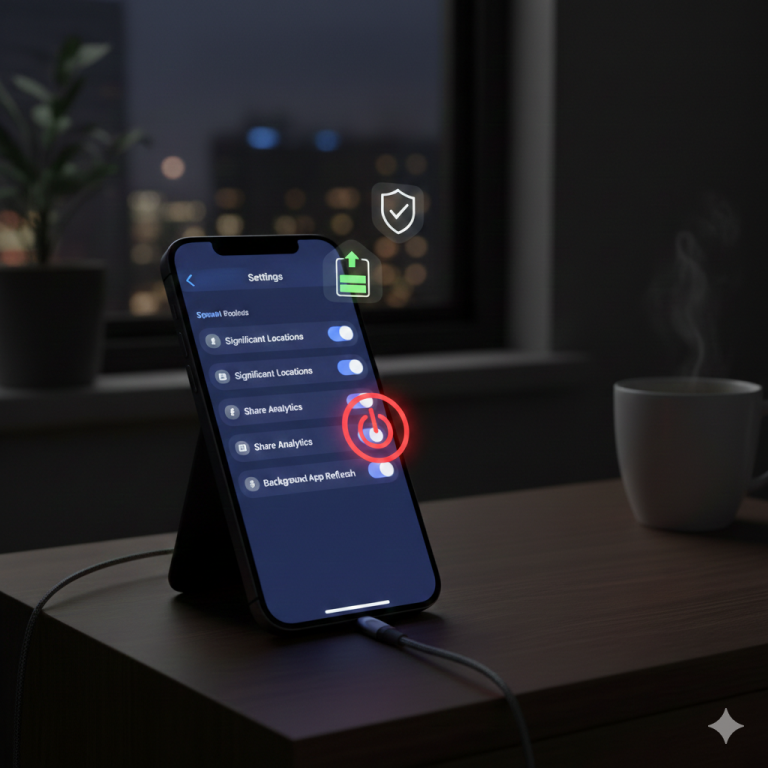
Some system features use location data constantly. Limiting access to “While Using” or disabling it for specific services can improve privacy. - Significant Locations
This feature tracks frequently visited places to offer smarter suggestions. Many users prefer disabling it for privacy reasons. - Share iPhone Analytics
Sends usage data to Apple. While anonymous, some users choose to turn it off to limit data sharing. - Automatic App Downloads
Useful across multiple Apple devices, but unnecessary for users who manage apps manually. - Raise to Wake
Convenient, but it can cause the screen to turn on unintentionally, especially when carrying the phone.
Each of these settings reflects a balance between convenience and control.
Real-world usage across Apple devices
For iPhone users, the effects of these settings are most noticeable during everyday scenarios.
Someone using an iPhone for navigation and messaging may notice improved battery life after limiting background activity. Users with Apple Watch often adjust notification mirroring to reduce constant alerts across devices.
On iPad, similar settings affect multitasking and background updates, particularly for users who rely on the device for reading or creative work. Mac users connected through iCloud may also see fewer sync interruptions when unnecessary background processes are reduced.
The shared Apple ecosystem means small adjustments on one device can subtly improve the experience across all of them.
How this compares to Apple’s default approach
Apple’s default settings are designed for the broadest possible audience. They prioritize automation, predictive features, and seamless syncing across devices. For new users, this approach reduces setup complexity.
However, Apple also provides detailed controls precisely because usage varies. Turning off certain settings does not go against Apple’s design philosophy—it uses it. Apple’s own documentation encourages users to explore Privacy and Battery sections to understand how features behave.
The difference lies in awareness. Defaults serve the average user, while customization serves the informed one.
Frequently Asked Questions
Do turning off these settings affect iPhone performance?
In most cases, no. Performance often remains the same, while battery life or privacy may improve.
Are these settings safe to turn off?
Yes. Apple designs iOS so features can be enabled or disabled without harming the system.
Will updates turn these settings back on?
Major iOS updates sometimes reset or introduce new defaults, so it’s worth checking settings after updating.
Do these tips apply to all iPhone models?
Most apply to recent iOS versions, though availability may vary slightly by model.
Closing summary
iOS offers a powerful, flexible experience, but its defaults are only a starting point. By understanding which settings influence privacy, battery life, and attention, iPhone users can shape their devices to better reflect how they actually live and work.
As Apple continues to evolve iOS, the conversation around customization is likely to grow—reminding users that sometimes the most meaningful improvements come not from new features, but from thoughtful adjustments already within reach.
Like it ? Share it with your friends.
If you are really a music lover, then you may like this.

"Note:We may receive a affiliate commission when you purchase products mentioned on our website."