
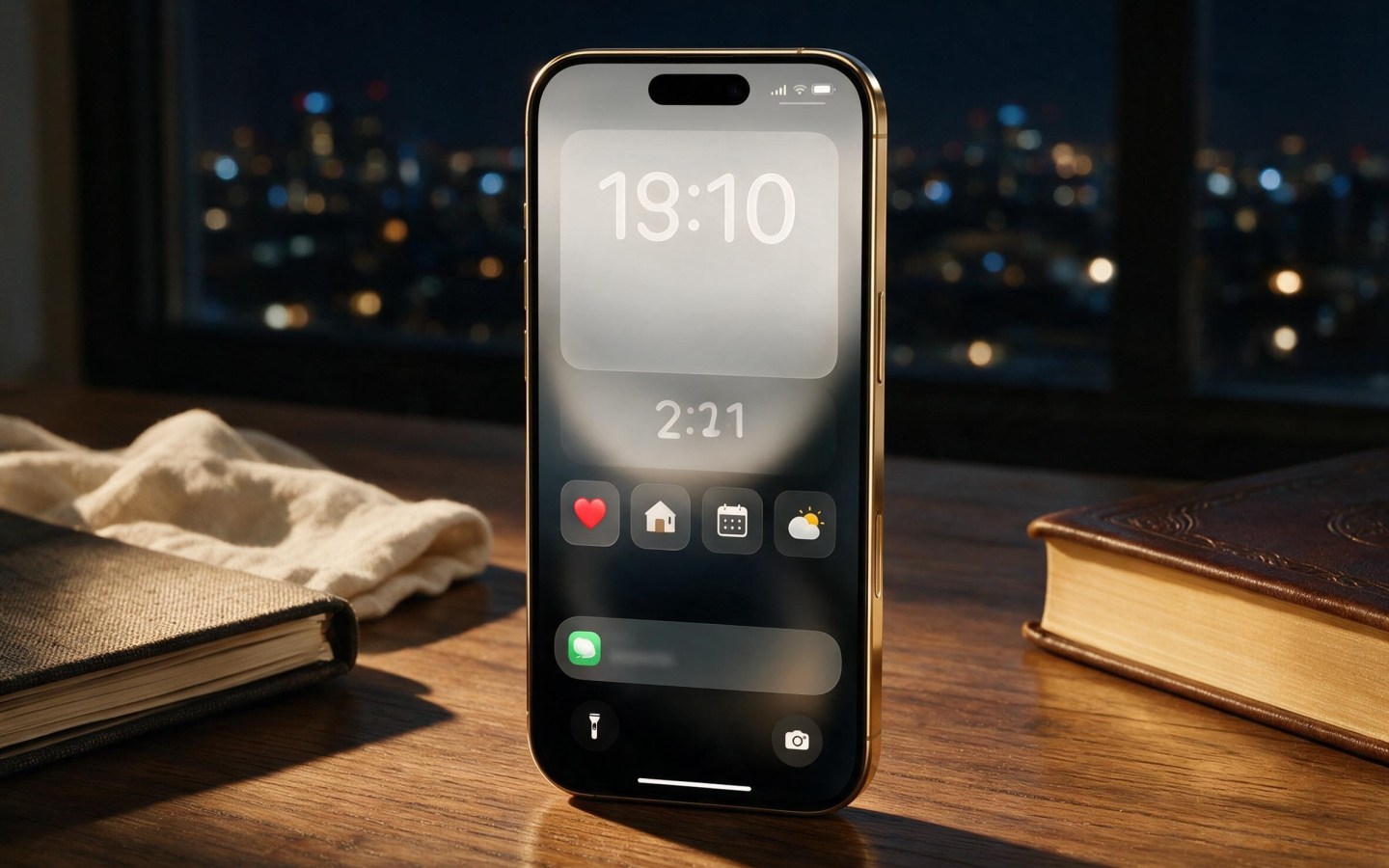
Apple continues to make the iPhone Lock Screen more useful and customizable with iOS 27. What was once primarily a place to check the time and notifications has evolved into an interactive information hub, giving users more control over wallpapers, widgets, notifications and the overall layout.
With iOS 27, Apple builds on the customization introduced in earlier versions of iOS while adding new tools that make the Lock Screen feel more personal. Users can now make greater use of AI-generated wallpapers, adjust the clock, manage Lock Screen widgets more easily and remove certain elements without interrupting what is happening on the iPhone.
Here are the major changes worth knowing about.

AI-Generated Lock Screen Wallpapers
One of the most interesting additions is the ability to create personalized wallpapers using Apple Intelligence.
iOS 27 brings Apple’s Image Playground capabilities closer to the Lock Screen customization experience. Instead of relying exclusively on Apple’s built-in wallpapers or your existing photos, you can create a new image based on a description or transform an existing picture.
Depending on the available options, users can experiment with styles such as:
Animation
Illustration
Sketch
AI-generated designs
ChatGPT-assisted image creation
This gives users considerably more freedom when designing their Lock Screen.
Rather than searching through wallpaper collections, you can create something specifically suited to your personal style.
Expand Photos to Fit the Lock Screen
Another useful feature is Apple’s Extend tool.
Sometimes a photo looks great but doesn’t fit the Lock Screen’s dimensions. Important parts of the subject may be cropped when you attempt to use it as wallpaper.
Extend addresses this problem by using AI to generate additional content around the edges of the photograph.
For example, if a person is positioned too close to the edge of a picture, the system can generate additional background space so the image fits the Lock Screen more naturally.
The feature can also help with images that are slightly tilted or poorly framed.
This is particularly useful for users who want to use their own photographs rather than Apple’s stock wallpapers.
More Control Over the Lock Screen Clock
The clock has traditionally been the dominant element on the iPhone Lock Screen, but iOS 27 gives users greater control over how much space it occupies.
Users can resize or reposition the clock, allowing more of the wallpaper to remain visible.
This is especially useful with portrait photographs where the subject is positioned behind or around the clock.
Instead of allowing the clock to dominate the composition, you can make it smaller and create a more balanced Lock Screen.
The change also makes Apple’s Lock Screen feel more flexible and closer to the customization options already available on competing smartphones.
Remove the Now Playing Widget
Another small but useful improvement is the ability to remove the Now Playing element from the Lock Screen without stopping the audio.
Previously, the media controls could occupy valuable space whenever music, podcasts or other audio was playing.
With iOS 27, users can dismiss the Now Playing widget when they don’t need it while continuing to listen to their audio.
This creates a cleaner Lock Screen while keeping playback active in the background.
For people who frequently listen to music or podcasts, this can make a noticeable difference.
Widgets Remain Central to the Lock Screen
Widgets continue to be one of the most useful features of Apple’s customizable Lock Screen.
Depending on the apps installed, users can display information such as:
Weather
Calendar appointments
Battery levels
Reminders
Fitness information
Alarms
Smart-home controls
Other third-party app information
Apple introduced Lock Screen widgets with iOS 16, and later versions have continued to expand their usefulness. iOS 26 already allowed users to customize widget placement and appearance, while iOS 27 continues Apple’s push toward a more personalized Lock Screen.
Interactive widgets can also reduce the need to unlock the phone for simple actions.
Interactive Notifications and Alerts
The Lock Screen isn’t just about static information. Apple’s notification system has increasingly moved toward interactive, glanceable information.
Live Activities, for example, can keep continuously changing information visible without sending a series of separate notifications.
This can be useful for things such as:
Sports scores
Food deliveries
Ride-hailing services
Timers
Flight information
Other real-time activities
Instead of repeatedly opening an application, users can get updates directly from the Lock Screen.
Create a More Personal Lock Screen
iOS 27 gives users several ways to combine these features.
You can create a Lock Screen around a particular purpose, such as:
Work Lock Screen
Use a calendar widget, reminders and productivity information.
Travel Lock Screen
Use weather, flight information and travel-related apps.
Fitness Lock Screen
Display activity information, workout-related data and timers.
Personal Lock Screen
Use photographs, custom wallpapers and entertainment widgets.
You can also create multiple Lock Screens and switch between them depending on your needs.
Why These Changes Matter
Apple’s Lock Screen evolution reflects a broader change in how people interact with smartphones.
Instead of unlocking the phone every time you want information, the Lock Screen can increasingly provide the answer immediately.
iOS 27 takes this idea further by combining personalization, AI-generated content, widgets and dynamic information.
The result is a Lock Screen that can function as both a visual canvas and a practical dashboard.
Frequently Asked Questions
Can I create an AI wallpaper directly for my Lock Screen?
Yes. iOS 27 brings Image Playground capabilities into the Lock Screen customization experience, allowing supported devices to create personalized wallpapers using AI.
Can I resize the iPhone Lock Screen clock?
Yes. iOS 27 provides greater control over the clock’s size and position, allowing users to make it smaller and give their wallpaper more visual space.
Can I remove Now Playing without stopping music?
Yes. You can dismiss the Now Playing element from the Lock Screen while continuing to play audio.
Can I still use Lock Screen widgets?
Yes. Widgets remain an important part of the iOS Lock Screen experience, providing quick access to information without requiring users to open individual apps.
Does every iPhone support all iOS 27 Lock Screen features?
Not necessarily. Some advanced Apple Intelligence features require compatible hardware. The availability of individual features can also vary depending on the iPhone model, language and region.
Final Thoughts
iOS 27 makes the iPhone Lock Screen more personal and functional than ever. AI-generated wallpapers, photo expansion, clock repositioning, customizable widgets and improved media controls give users significantly more control over what they see when they wake their iPhone.
The biggest change isn’t any single feature. Instead, Apple is turning the Lock Screen into a customizable information dashboard that can also serve as a personalized visual experience.
For users who enjoy customizing their iPhone, iOS 27 could make the Lock Screen one of the most interesting parts of the operating system.
- Essential AirTag: Find Your Lost Items with Apple’s Tracker
- Smart Home Control: Google Nest Thermostat Drops to $220
- Anker 621 MagGo Power Bank: Essential Portable Charging for iPhone
- Apple Finally Does It! New MacBook Pro Gets a Touchscreen
- Paying for Unused iPhone Apps? Here’s How to Find and Cancel Subscriptions
Discover more from The Apple Byte
Subscribe to get the latest posts sent to your email.
"Note:We may receive a affiliate commission when you purchase products mentioned on our website."


