
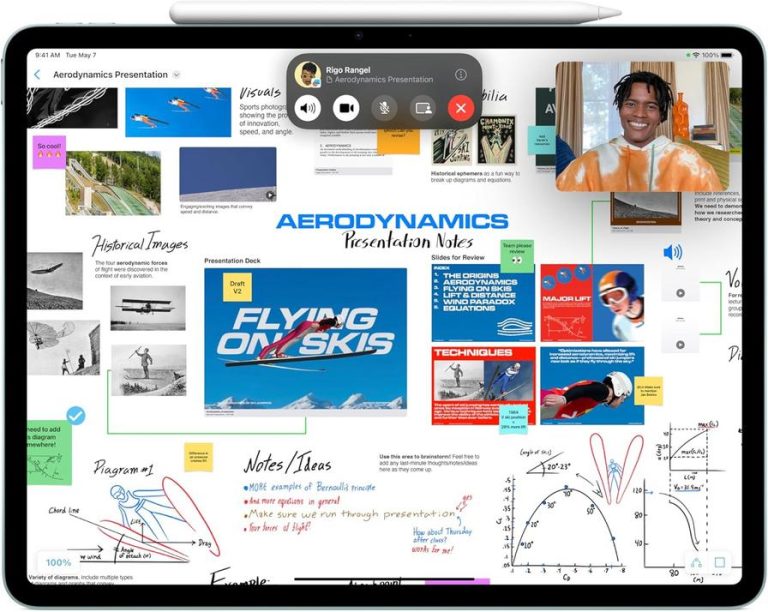
With the Apple Pencil Pro now available from Amazon’s Like New program at just under $48—over 63% off its list price—iPad users have a chance to upgrade their digital note-taking and sketching setup for less. Whether you’re marking up PDFs on an iPad, doodling ideas on the go, or refining designs on Mac sidecar, this Apple Pencil Pro deal is drawing attention. That discount level for a tool that pairs with Apple’s ecosystem makes it especially relevant for students, creative pros, and anyone who values precise input with their iPad or Mac.
Why This Deal on Apple Pencil Pro Stands Out
While third-party styluses often compete on price, the Apple Pencil Pro brings official hardware support and integration with iPadOS features like tilt detection and palm rejection. Scoring a refurbished unit at this price point—listed at under $48 via Amazon’s Like New selection—means you’re getting an Apple-certified accessory that looks and feels brand-new.
For someone commuting on public transit, the magnetic attachment keeps the Pencil secured to the side of an iPad Pro, so you’re less likely to fumble for it mid-ride. At a desk setup, ditching tangled cables in favor of a magnetic USB-C charging approach frees up valuable surface space and streamlines your workflow. And if your home office doubles as a travel base, this slim stylus slips neatly into a sleeve or accessory pouch alongside your iPhone, AirPods, and MacBook charger.

The battery life on an Apple Pencil Pro typically matches a full day’s worth of sketching or note-taking on a single charge, so you won’t be constantly hunting for an outlet during remote work or live meetings. It syncs instantly with compatible hardware—be it an iPad Air for class notes or a Mac running sidecar—and delivers consistent performance compared to off-brand options, which can suffer lag or uneven pressure response.
At over 63% off the original list price, this deal opens up possibilities for backup units or sharing a stylus among multiple Apple devices in a household. Whether you’re a student marking up lecture slides, a designer refining mockups, or someone who simply jots grocery lists on the go, having a nearly-new Apple Pencil Pro at this price can fit into a variety of daily routines without breaking the bank.
“Switching to a pressure-sensitive stylus brought new detail to my sketches and made long note-taking sessions feel more natural.”
Key Features
- Enhanced pressure sensitivity for precise sketching and detailed note-taking
- Low-latency response, making handwriting feel close to paper on an iPad Pro
- Slim, balanced aluminum body that slips easily into a bag or pencil case
- USB-C fast charging that provides hours of use from just minutes of power
- Pairs instantly with iPad, Mac sidecar, or relevant apps across Apple devices
This product has recently gained attention among Apple users looking for a cleaner and more flexible everyday setup.
Check current availability here
Why Apple Users Are Paying Attention
Every morning, many Apple users reach for their iPad before a MacBook for quick annotations or sketch ideas. With the Apple Pencil Pro within easy reach and charged magnetically to the device, there’s no hunting for cables or adapters. That simplicity of magnetic attachment and on-device charging reduces clutter and supports a smoother start to the day.
On the road, swapping between taking photos on an iPhone, capturing voice memos on an iPad, and sketching layouts becomes more fluid when your stylus is always attached. This avoids digging into bags for separate power cables or fumbling with Bluetooth pairing every time you switch devices—key for travel where every second counts.
For home or office desks, professionals note that removing cables from view creates a cleaner workspace, letting them focus on content rather than cords. The Pencil Pro’s slender form factor slots alongside a MacBook or sits neatly on a Magic Keyboard folio, keeping tools organized without additional stand or dock.
Battery management habits evolve when charging is as simple as snapping your stylus to the top of an iPad. Users report that this routine helps them avoid dead-battery frustrations mid-presentation or during extended creative sessions. Between meetings or study breaks, a quick magnetic top-up can be all you need to power through the day.
Which iPad models support the Apple Pencil Pro?
The Apple Pencil Pro works with iPad Pro 11-inch and 12.9-inch models (3rd generation and later) and compatible iPad Air editions. Check Apple’s official compatibility list for details.
How quickly does the Apple Pencil Pro recharge?
A short USB-C top-up of just a few minutes can yield over an hour of sketching or note-taking, and a full charge—usually under an hour—will cover a full day’s typical use.
Can I charge the Apple Pencil Pro with MagSafe accessories?
This stylus charges via its built-in USB-C port or magnetic attachment on supported iPads, not through MagSafe chargers. The magnetic contact on the iPad secures and powers it efficiently.
Will the Apple Pencil Pro get hot or affect my iPad’s battery?
The Pencil Pro draws minimal power and stays cool during use. It shouldn’t impact your iPad’s battery health, and modern battery management handles any charging currents smoothly.
Verdict
The Apple Pencil Pro, now available for under $48 via Amazon’s Like New program, presents a compelling option for anyone looking to enhance their iPad or Mac sidecar workflow without the new‐product price. It excels in sketching, note-taking, and annotating, with its pressure sensitivity and magnetic charging fitting neatly into an Apple setup. While some users prefer brand-new accessories, this deal offers real savings and all the functionality most Apple users need, making it best suited for students, designers, and remote workers seeking a practical stylus upgrade.
"Note:We may receive a affiliate commission when you purchase products mentioned on our website."