
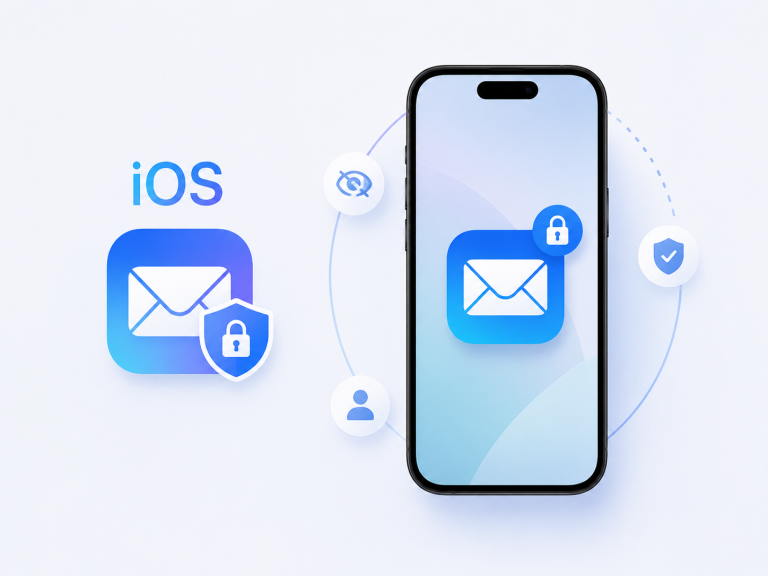
As Mail Privacy Protection rolls out to regions beyond its initial launch, a subtle change is unfolding in inbox rituals around the globe. The familiar red badge on Apple’s Mail app prompts fewer immediate opens these days. Instead, many iPhone owners trust that image content will load only once filtered through Apple’s relays, converting notification checks from urgent taps into background exchanges. This evolution reflects how privacy features have seeped into daily workflows, shaping attention across time zones.
At co-working tables, the motion is almost imperceptible. A MacBook’s lid lifts as its owner slides an iPhone onto a MagSafe charger, its screen dark but whirring. New messages arrive steadily, but image placeholders and privacy shields quietly stand guard until the user chooses to dive in. The absence of phantom pings—tiny icons loading trackers—feels natural; the inbox simply sits ready, free of visible tracking attempts that once punctuated each incoming email.
In bedrooms, the ritual takes on a dusk-lit cadence. Hands reach for a Lightning cable tangled under magazines, wake the screen, and confirm that Mail Privacy Protection remains enabled before the phone drifts into Do Not Disturb. The soft glow of a nightstand lamp reveals a badge count that no longer demands an impromptu scroll; it waits for morning. What began as an occasional privacy toggle now slots into nightly wind-down sequences alongside charging and charging verification.

On travel days, the feature’s global spread has its own routines. In airport lounges with fluctuating Wi-Fi, iPhone users toggle Airplane Mode then selectively re-enable connectivity for boarding passes, secure in the knowledge that unseen trackers have been deferred. SIM swaps and eSIM profiles no longer trigger privacy jitters; the Mail app’s settings remain steadfast. Stowing the phone alongside power banks in a carry-on concludes not just a packing list but also a silent privacy check.
During midday meetings, the habit persists. An unlocked iPhone rests facedown next to a presentation clicker, its screen black but its privacy guard engaged. Colleagues at adjacent desks glance at their devices only when they’re ready to engage. The delay of image load—a fraction of a second—feels less like a hurdle and more like an invisible buffer against unwarranted surveillance, a small pause that echoes a larger shift in how notifications shape our focus.
Underlying these behaviors is iOS’s proxy architecture, routing email image requests through encrypted channels. Once users enable the toggle, few revisit the setting; the system hums on their behalf. The initial setup—often discovered via an update notice or a regional rollout alert—yields to ambient oversight. Instead of manual per-email decisions, a single switch carries the weight of privacy maintenance, turning a once-recurring decision into a silent promise.
A mundane moment captures the new normal: aligning a MagSafe puck against the phone’s back in half-light. The satisfying click not only begins battery charging but also signals a quiet assurance that subsequent emails will pass through Apple’s sieve. With the phone tucked under a pillow or nestled beside a notebook, privacy work continues without fanfare, dissolving into the modest hum of everyday device upkeep.
These subtleties around Mail Privacy Protection’s expansion reveal a persistent theme in the Apple ecosystem. Rather than resisting each new prompt, users absorb privacy measures into existing routines—from nighttime cable wrangling to travel pouch routines and co-working setups. In so doing, they craft a relationship with their devices that balances vigilance and convenience, allowing personal data safeguards to settle into life’s background hum.
Frequently Asked Questions
Which iOS versions support Mail Privacy Protection?
Mail Privacy Protection is available on iOS 15 and later for iPhone and on iPadOS 15 and later for iPad worldwide.
Does Mail Privacy Protection affect MagSafe charging?
Mail Privacy Protection operates independently of MagSafe or USB-C charging and does not impact charging speed or behavior.
Can third-party email apps use Mail Privacy Protection?
Mail Privacy Protection applies only to Apple’s built-in Mail app; third-party email clients manage tracking features according to their own settings.
Does Mail Privacy Protection impact battery life?
The feature has a negligible effect on battery consumption, as proxying image loads occurs only when fetching new messages.
Verdict
Across desks, nightstands, and travel pouches, Mail Privacy Protection has become woven into global routines. iPhone users no longer treat each new badge count as an interruption but as a prompt that quietly recedes into preexisting habits. Whether aligning a MagSafe charger in semi-darkness or toggling Airplane Mode before a flight, they entrust their devices to maintain privacy behind the scenes. This shift illustrates how digital safeguards, once manual toggles, evolve into ambient assurances—subtle calibrations that shape daily interaction with technology.
"Note:We may receive a affiliate commission when you purchase products mentioned on our website."