
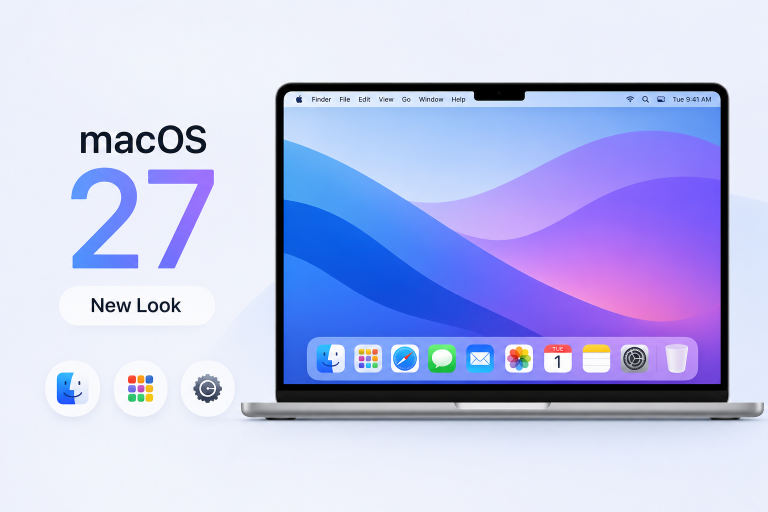
Apple users are noticing rumors that macOS 27 could bring the biggest visual overhaul in years. Reportedly set to refresh system icons, the menu bar, and Control Center for a cleaner, more modern feel, this update may further unify Mac’s design with iPhone and iPad. macOS 27’s new look could streamline navigation, reduce clutter, and boost productivity on MacBook and iMac. Here’s what Apple could change and why it matters to Mac users worldwide.
Design consistency across devices has become a hallmark of Apple’s ecosystem. While iOS and iPadOS have received incremental visual tweaks, the Mac’s interface has remained largely unchanged since macOS Big Sur. With competitors emphasizing customization and clarity, Apple may finally refresh macOS to meet modern usability standards.
A revamped appearance isn’t just cosmetic. Updated icons can improve recognition at a glance, and a sleeker menu bar or Control Center can reduce clicks and distractions. For professionals juggling multiple windows, a refined window chrome and clearer toolbar icons could accelerate daily workflows without retraining muscle memory.
Key Features or Important Changes
- Revamped System Icons: Consistent shapes and refined details for built-in apps, enhancing legibility and modern appeal.
- Menu Bar Redesign: Adjustable spacing and grouping, putting essential controls within easy reach and minimizing clutter.
- Enhanced Control Center: Interactive sliders and quick-access toggles in a floating panel, reducing steps to adjust volume, brightness, and connectivity.
- Dynamic Widgets: Interactive widgets in Notification Center with live previews for Calendar, Weather, and Reminders, streamlining glanceable information.
- Unified Theming: Adaptive accent colors and translucency that sync with wallpaper hues, creating a cohesive look across macOS, iOS, and iPadOS.
Many Mac users may notice the change most when organizing multiple windows. A slimmer menu bar with grouped icons means fewer visual distractions and faster access to Wi-Fi, battery status, or Focus modes during busy work sessions. Tidier toolbars in Finder and Safari could shave seconds off each task, adding up over weeks and months.
For designers and developers, updated system icons and theming can improve mockup accuracy and testing consistency between Mac and iOS prototypes. The refreshed Control Center’s interactive sliders allow quick audio or screen adjustments without hunting through System Settings, making on-the-fly edits during presentations or calls smoother.
Casual users benefit too. Dynamic widgets in Notification Center offer real-time weather updates or calendar alerts without opening separate apps. Combined with adaptive accent colors, these visual enhancements make routine interactions—like checking messages or adjusting screen brightness—feel more intuitive and personalized.
Frequently Asked Questions
Which Macs will support macOS 27’s new design?
macOS 27 is expected to support MacBook Air (2019) and later, MacBook Pro (2018) and later, iMac (2019) and newer models, ensuring broad device coverage.
How can I preview the new interface?
Developers and public beta testers can download the macOS 27 beta via Apple’s Beta Software Program once it’s available, then enable the updated UI in System Settings under “Appearance.”
Will my existing apps need updates?
Most apps should run normally with the new UI. However, developers may release minor updates to align custom toolbars and icons with macOS 27’s aesthetics.
When is macOS 27 expected to arrive?
Apple usually unveils new macOS versions at its Worldwide Developers Conference in June, with public release in September or October alongside new Mac hardware.
Verdict
macOS 27’s rumored visual refresh could mark Apple’s most significant design update in years, bringing cohesion to the company’s device lineup and practical efficiency gains. From refined icons and streamlined menus to interactive widgets and dynamic theming, these changes promise tangible benefits for both casual users and professionals. As macOS embraces a cleaner, more modern look, Apple users stand to enjoy a more intuitive, pleasing, and productive computing experience.
"Note:We may receive a affiliate commission when you purchase products mentioned on our website."