
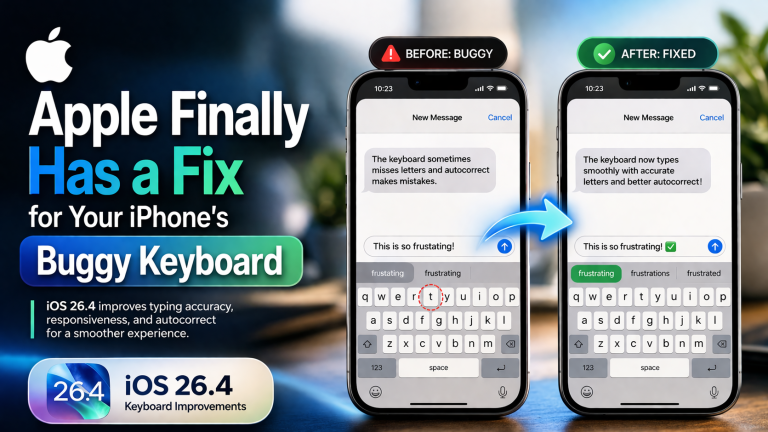
For years, typing on the iPhone has been known for its smooth and responsive keyboard experience. However, recent versions of iOS introduced a frustrating issue that left many users annoyed. From missed keystrokes to incorrect autocorrections, the iPhone keyboard started behaving unpredictably—especially for fast typists.
Now, with the release of iOS 26.4, Apple has finally addressed this long-standing problem. This update brings a much-needed fix that significantly improves typing accuracy and restores confidence in everyday use.
What Was Wrong With the iPhone Keyboard?
Many users reported a strange bug where:
Letters wouldn’t register when typing quickly
Words appeared incomplete or incorrect
Autocorrect became unreliable and so on
In some cases, users would tap a key, see the animation, but the character wouldn’t appear in the text field. This created a frustrating experience, particularly for people who type fast or rely heavily on messaging apps.
The issue didn’t just slow down typing—it also caused autocorrect to misinterpret words, leading to embarrassing or confusing messages.
How iOS 26.4 Fixes the Problem
Apple has officially acknowledged the issue and introduced improvements in iOS 26.4 to fix it. The update focuses on:
Improved Typing Accuracy
The keyboard now better registers rapid keystrokes, reducing missed letters and input delays.
Better Responsiveness
Typing feels smoother and more consistent, even during fast input sessions.
Smarter Autocorrect Behavior
Since the system now captures words correctly, autocorrect performs better and produces fewer mistakes.
Real-World Impact
This fix might sound small, but it has a huge impact on daily usage.
Think about how often you type on your iPhone:
Messaging (WhatsApp, iMessage)
Emails
Notes
Social media posts
With the improved keyboard:
You’ll type faster without interruptions
You’ll spend less time correcting mistakes
Your overall productivity improves
Users who previously struggled with frequent typos will immediately notice the difference after updating.
Why This Bug Happened
The problem appears to have been related to how iOS handled:
Rapid touch input
Predictive text processing
Autocorrect learning behavior
When the system failed to register certain keystrokes, it confused the autocorrect engine, leading to incorrect word predictions.
This highlights how even small software bugs can affect the entire user experience.
Is Everything Fully Fixed?
While iOS 26.4 significantly improves the keyboard, it’s not perfect yet.
Some minor issues still remain:
Occasional quirks with emoji button responsiveness
Autocorrect still learning user habits
However, the most frustrating issue—missing characters while typing—has largely been resolved.
Should You Update to iOS 26.4?
Yes—absolutely. If you’ve experienced Typing delays,Incorrect words,Keyboard frustration, then iOS 26.4 is a must-have update.
Even if you didn’t notice the bug, you’ll still benefit from Better performance,Improved system stability & Enhanced usability
How to Update Your iPhone to iOS 26.4
Updating is simple:
Go to Settings > Tap General > Select Software Update > Install iOS 26.4
Before updating make sure you have enough battery (or plug in) & you back up your device before updating
Final Verdict
Apple’s fix for the buggy keyboard in iOS 26.4 may not be a flashy feature, but it’s one of the most important improvements for everyday users. Typing is a core function of any smartphone, and restoring its reliability makes a noticeable difference in how you interact with your device.
With improved accuracy, smoother responsiveness, and better autocorrect performance, iOS 26.4 finally brings the iPhone keyboard back to its expected standard.
- Top Tools to Remove iCloud Activation Lock on iPhone and iPad in 2026
- Twelve South PowerCord: A Powerful USB-C Charger for Apple Users
- Monster N-Tune mini 02 Noise Cancelling Headphone: Everyday Audio Upgrade
- Amazing Amazon Kids+ Plans: Fun, Learning & Powerful Parental Controls for Kids 3–12
- NEEWER Flexible Tripod: An Everyday Essential for iPhone Creators
"Note:We may receive a affiliate commission when you purchase products mentioned on our website."