
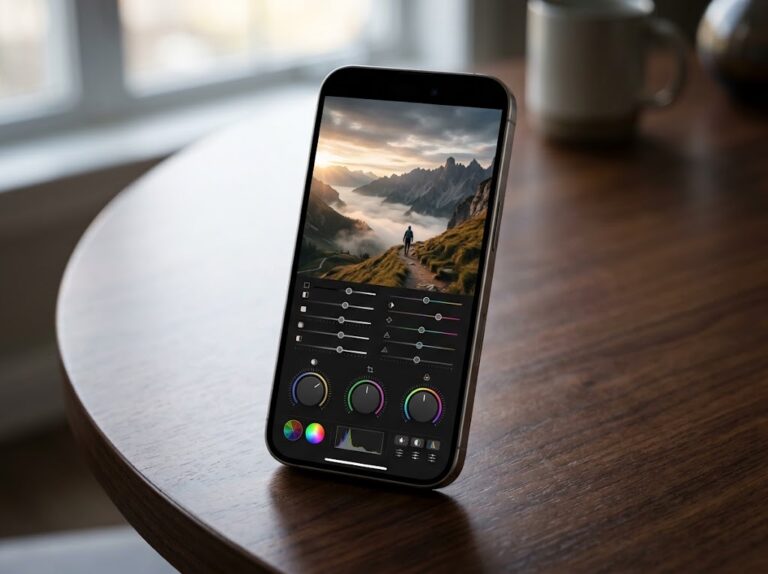
Apple’s iOS 27 update adds more than a redesigned interface and smarter Siri. For iPhone photographers, the update introduces a collection of useful Camera and Photos tools that can make shooting, editing, organizing, and sharing photos significantly easier.
Some of these features are easy to miss unless you know where to look. From customizable Camera controls and better AI editing to photo ratings, keywords, slideshows, and improved shared albums, iOS 27 gives photographers more control without requiring another camera app.
1. Customize Your Camera Controls
One of the most useful iOS 27 changes is the ability to decide which Camera controls remain easily accessible.

Open the Camera app, tap the tools button, and choose Edit. You can select the controls you use most frequently and keep them readily available while shooting.
Apple says Camera tools can now be pinned above the viewfinder, making options such as Flash, Live Photo, Timer, Exposure, Styles, and Aspect Ratio easier to reach.
2. Try the Improved Clean Up Tool
Apple’s Clean Up tool gets an upgrade in iOS 27.
It can remove unwanted objects from photographs, making it useful for cleaning up distracting people, objects, or background elements. The updated tool provides more precise editing, while the source article recommends using the High Quality option when working with detailed images.
As with any AI editing tool, check the final image carefully to make sure the edit hasn’t changed something you wanted to keep.
3. Extend Photos Beyond Their Original Frame
The new Extend feature uses generative AI to expand the edges of an image.
If your original photograph feels too tightly cropped, Photos can generate additional content around the existing image. You can adjust the extension before applying it.
This can be useful for creating a different composition or preparing an image for a particular social-media format.
4. Reframe a Photo After Taking It
Spatial Reframing gives you another way to change an image after you’ve captured it.
Rather than simply cropping the edges, the feature can alter the composition and perspective of a photograph using Apple Intelligence.
Because this involves generative processing, it is best suited to creative edits rather than situations where preserving the original scene exactly is important. Apple officially lists Spatial Reframing as one of iOS 27’s new Apple Intelligence photo-editing tools.
5. Rate Photos With One to Five Stars
Photos now provides a star-rating system, allowing you to give images ratings from one to five stars.
This is particularly useful for photographers who shoot hundreds of images and need a simple way to separate their strongest photographs from ordinary shots.
It provides more flexibility than simply marking an image as a Favorite.
6. Organize Photos With Keywords
iOS 27 also introduces customizable keywords in Photos.
You can add words to images and later use those keywords to find and filter photographs. For photographers with large libraries, keywords can make organizing subjects, locations, projects, or events much easier.
You can manage your keywords from the Collections area of Photos.
7. Create and Save Custom Slideshows
You no longer need to rely exclusively on albums to create a slideshow.
Select multiple images, choose Start Slideshow, and customize the transition, duration, music, and looping options. You can also save the resulting slideshow as a video.
This is a convenient way to turn a collection of photographs into something ready to share.
8. Get More Control Over Shared Albums
iOS 27 expands iCloud Shared Albums with additional management options, including full-resolution sharing, improved filtering, reactions, participant permissions, and temporary albums.
A temporary shared album can automatically expire after 30 days, making it useful for short-term events such as trips, parties, or projects.
Frequently Asked Questions
What are the best new iOS 27 photography features?
Custom Camera controls, improved Clean Up, Extend, Spatial Reframing, star ratings, keywords, slideshows, and enhanced Shared Albums are among the most useful additions.
Does iOS 27 improve the iPhone Camera app?
Yes. Apple has added customizable Camera controls and integrated new Apple Intelligence photography tools into the Camera and Photos experience.
Do all iPhones get the new AI photo tools?
No. Apple Intelligence features require supported hardware and availability can vary by iPhone model, language, and region.
Final Takeaway
iOS 27 gives the iPhone’s photography experience a substantial software upgrade. Custom Camera controls make shooting faster, while Clean Up, Extend, and Spatial Reframing provide new ways to edit images after capture. Meanwhile, ratings, keywords, slideshows, and improved Shared Albums make managing and sharing a growing photo library easier.
For iPhone photographers, these features are worth exploring because many of them are tucked inside Camera and Photos rather than advertised as headline iOS 27 changes.
"Note:We may receive a affiliate commission when you purchase products mentioned on our website."